GymAdapt is free to use. No trial, no subscription needed.
- An AI plan for your goal, days and equipment
- Unlimited workouts and set logging
- A video for every exercise
- Weights that adjust for you (first 30 days)
Get GymAdapt on Android first.
GymAdapt is iPhone-only for now. Android is coming soon. Leave your email and we'll send one message the day it launches.
One email at launch. No spam.
You're on the list. We'll email you once, the day Android launches.
The workout log that already knows what you lifted last time.
Log sets in a couple of taps. See last session next to today's. Get the next weight suggested from your own history. Watch every lift trend, and find out which muscle you've been skipping. Bring your notebook with you by photo.
Download on theApp Store$4.99/mo with a 7-day free trial · $24.99/yr · $59.99 once, forever. All plans
Everything a log should do, and the two things most don't
Most workout log apps are a fast notebook: they store what you did. GymAdapt does that, then uses the numbers. It suggests your next weight from your own history and it tells you which muscles are falling behind. Those two things are the difference between recording and progressing.
Last time, right there
Every set shows what you did last session for that exercise. No flipping pages, no "was it 135 or 140?" Tap to match it, or type to beat it.
Next weight, suggested
Hit the top of your rep range on every set? The next target goes up automatically, by the right increment for the lift. Miss reps twice? It holds. Turn Smart Weights off any time.
Type it like you'd write it
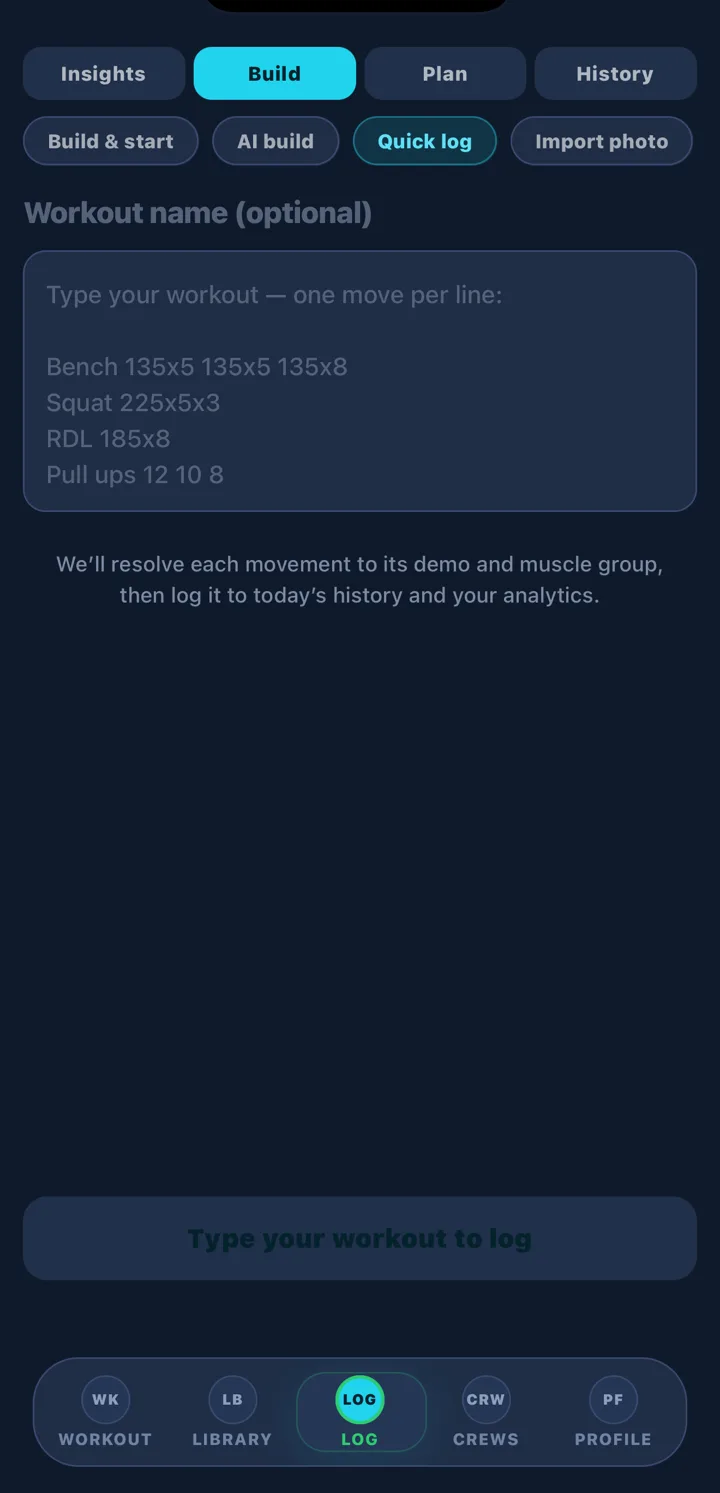
Quick log takes shorthand: Bench 135x8 135x8 135x7, one exercise per line. Each line resolves to the right movement, muscle group and video demo.
Bring your paper log
Import photo reads a photographed notebook page or printed sheet into your history, so day one in the app starts with your real numbers.
Insights that change what you do next
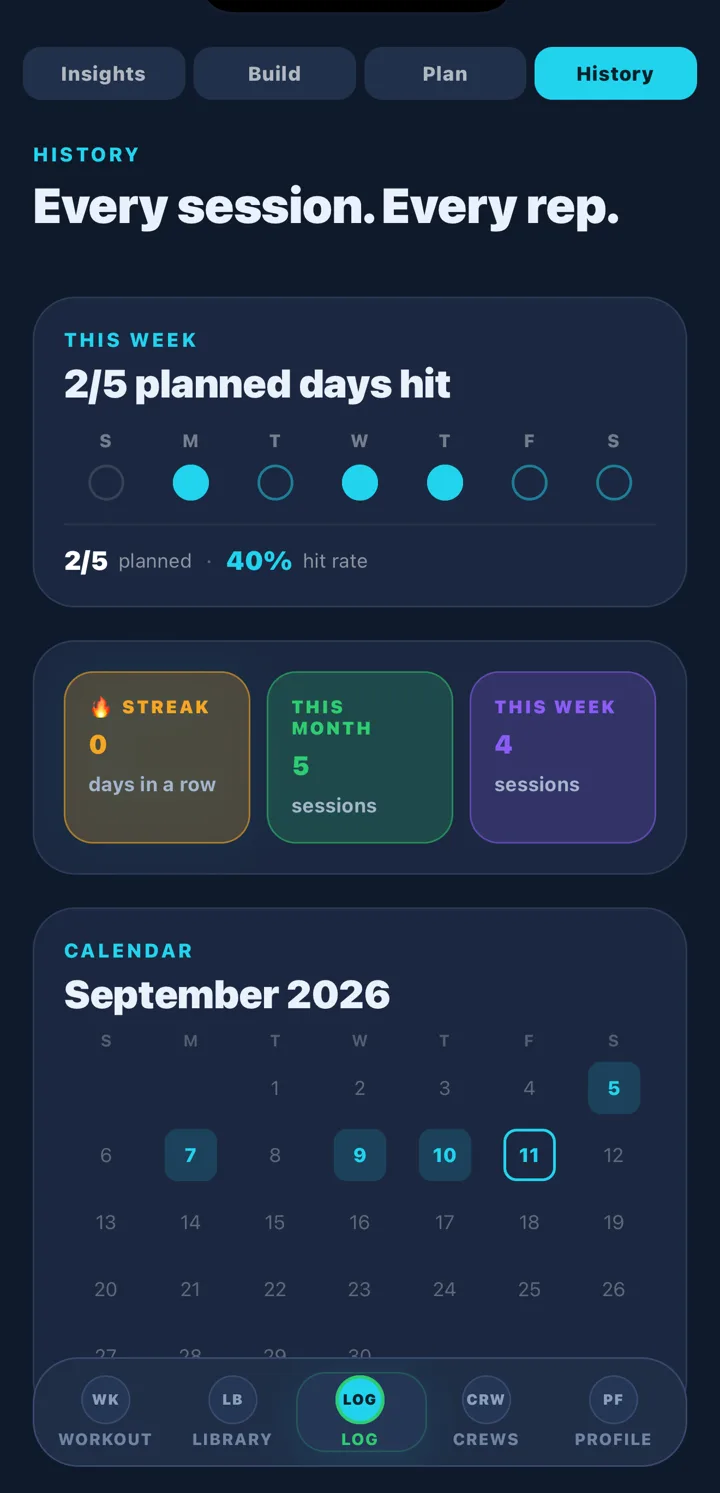
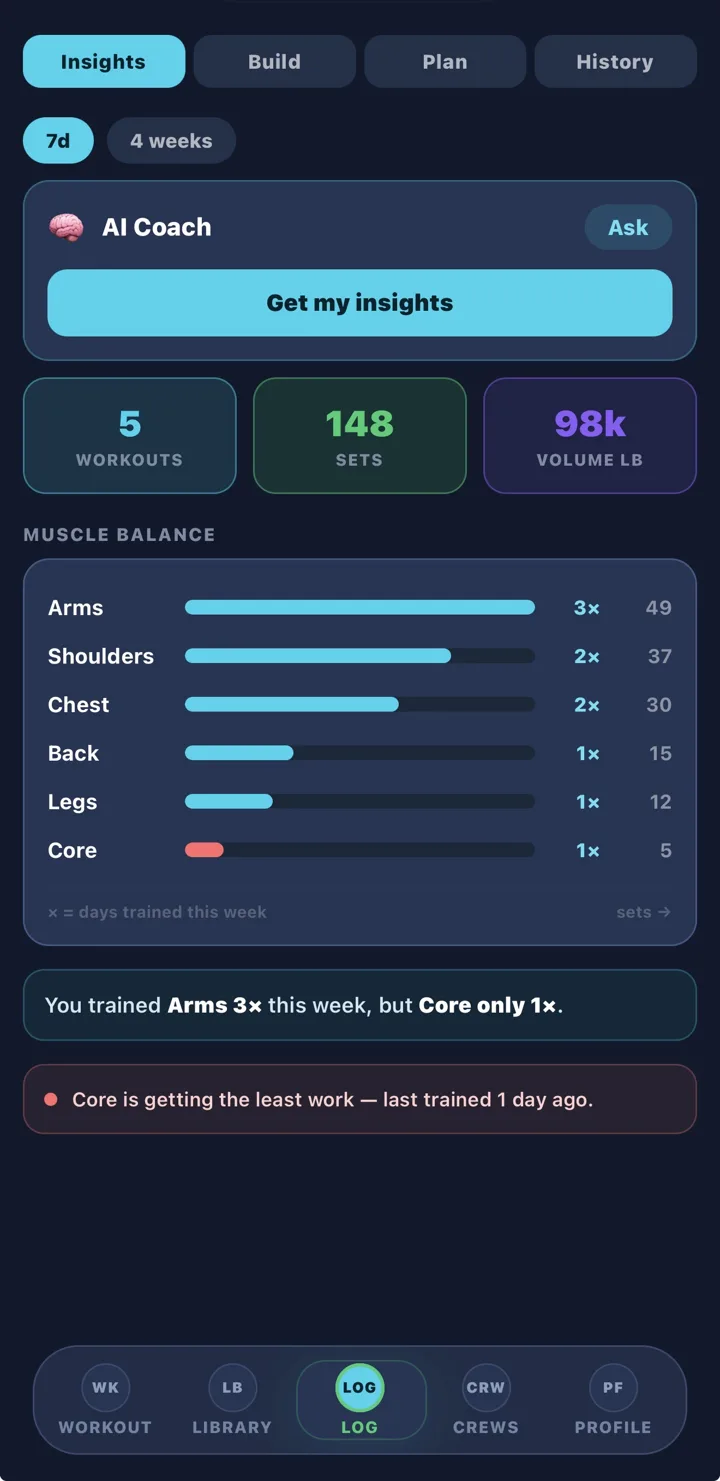
Workouts, sets and total volume for the week or the month, and a muscle-balance chart that shows days trained and sets per muscle group. In the example: arms three times, core once. That's the kind of thing a notebook never tells you, and the AI coach can turn it into next week's plan in one tap.
Three ways to log, one history
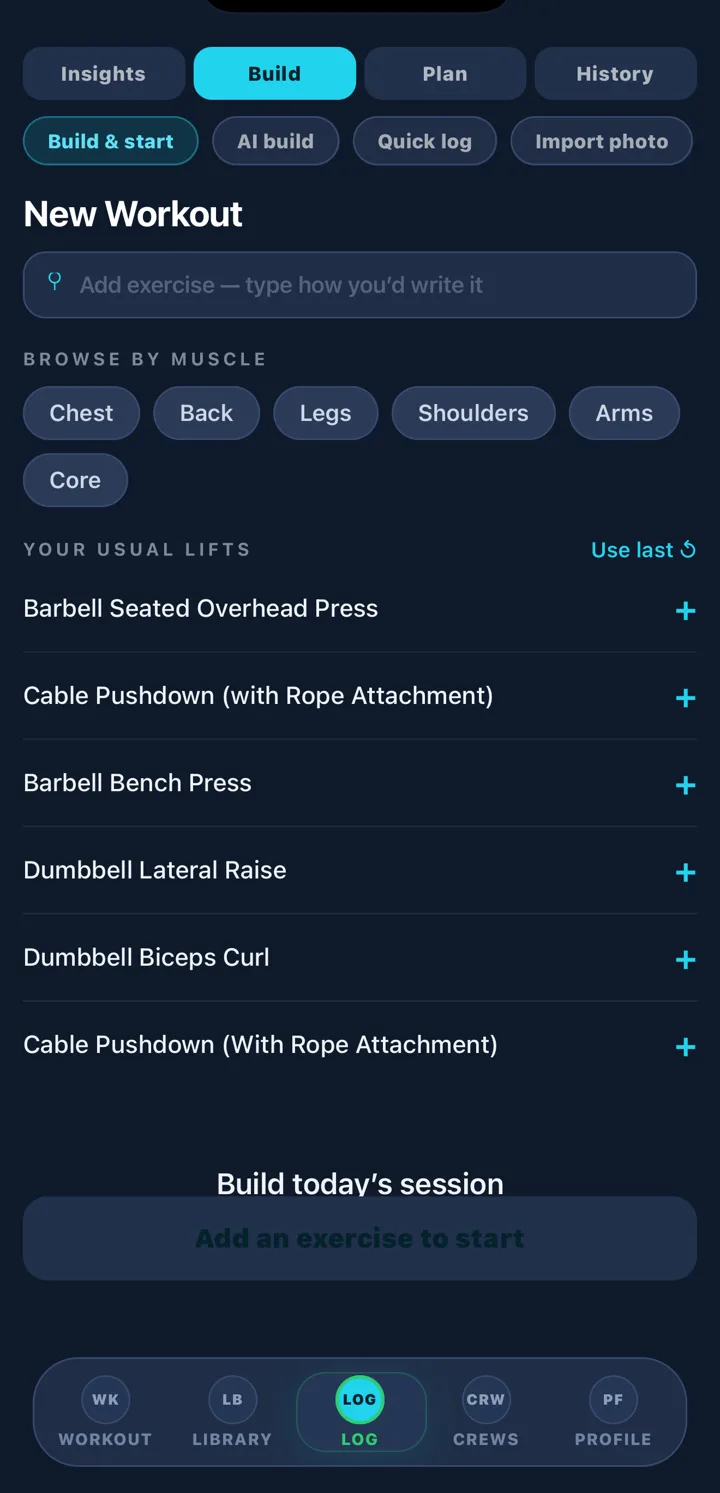
Build & start
Pick from your usual lifts or browse by muscle. Start the session; rest timer, plate calculator and the video demo are one tap away on every set.
Quick log
Already trained? Type the session in shorthand after the fact. Thirty seconds, fully attributed to muscles and charts.
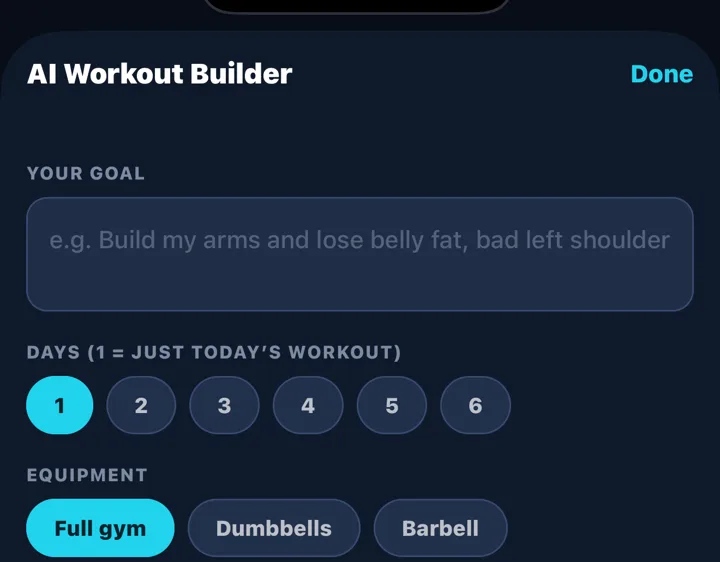
AI build
Tell it a goal in plain words ("build my arms, bad left shoulder"), days and equipment. It writes today's workout from the exercise library, and you log it like any other.
GymAdapt vs the loggers you've heard of
Hevy and Strong are good apps and we say so in our full comparison. Here's the short version, with prices checked September 11, 2026.
| Need | GymAdapt | Hevy | Strong |
|---|---|---|---|
| Log sets, reps, weight | Yes | Yes | Yes |
| Last session shown per set | Yes | Yes | Yes |
| Next weight suggested from history | Yes, pre-filled | No (warm-up calc in Pro) | No |
| Muscle-balance / neglect insight | Yes | Muscle chart | Basic |
| Real video for every exercise | Yes | Animations | Animations |
| Writes your program | Yes (AI, from your goal) | No | No |
| Import paper log by photo | Yes | No | No |
| Free tier | 7-day trial | Yes (4 routines) | Yes (3 routines) |
| Paid | $4.99/mo · $24.99/yr · $59.99 life | $2.99/mo · $23.99/yr · $74.99 life | $4.99/mo · $29.99/yr · $99.99 life |
| Platforms | iPhone | iPhone, Android, Watch, web | iPhone, Android, Watch |
One price, everything included
Monthly
Yearly
Lifetime
Only Monthly includes the 7-day free trial. Yearly, 6-month and Lifetime are billed at purchase. Managed through your Apple ID; cancel in Settings › Subscriptions.
Is GymAdapt a workout log or a workout planner?
Both, and you can use either half alone. The Log tab records sets, reps and weight, keeps history, and shows insights; the Plan side builds a program from your goal and equipment and adjusts the weights from what you log. If you just want a logger, ignore Plan.
How much does the GymAdapt workout log app cost?
Free to start: an AI-built plan and unlimited workouts. Pro is $4.99 a month with a 7-day free trial, $24.99 a year, or $59.99 once for lifetime access. Every plan includes the full log, history, insights, AI builder and video demos. iPhone only.
Can I import my old workout log?
Yes. Import photo reads a photographed notebook or printed sheet into your history. Quick log lets you type a session in shorthand ('Bench 135x8 135x8 135x7'). Both resolve to the app's exercise library so charts and muscle-balance work from day one.
Does it work offline?
Logging, history and demos you've already viewed work without signal. AI build and Insights explanations need a connection. Sessions sync when you're back online.
Does it sync with Apple Health?
Yes. Connect Apple Health from Profile: completed workouts are written to Health so they count toward your Activity rings, and the app reads your weight, steps and resting heart rate to inform recommendations. Set-by-set history lives in GymAdapt; Apple Watch's Workout app doesn't record sets and reps. The how-to explains the combination that avoids double counting.
How is this different from Hevy or Strong?
Hevy and Strong are excellent loggers and cheaper if that's all you want. GymAdapt logs the same way but also pre-fills your next target weight, flags muscle imbalance, and can write your program. Full comparison in Best workout log apps.
Track your next workout with GymAdapt
Start with the 7-day trial on Monthly, or photograph your notebook and import it first so the app starts with your history.
Download on theApp Store