"How to log a workout on Apple Watch" is two questions wearing one search. If you mean get credit for it, the Watch does that in three taps and you're done in the next paragraph. If you mean record what you lifted, the Watch can't; Apple's Workout app has no field for sets, reps or weight, and never has. So the real answer is a combination: the Watch for heart rate, calories and rings, a logging app for the numbers, and one rule so the session doesn't count twice.
Part 1: log the workout on the Watch itself
That's it for credit. The workout will say "Traditional Strength Training, 41 min, 118 avg HR, 210 cal" and nothing about what you lifted. Tip: after you've used it once, the Watch pins it near the top of the list.
Part 2: record the sets, reps and weight
Three ways, in order of least to most effort on the wrist.
Log on the phone, Watch for HR. Most lifters do this. The phone is on the bench anyway; you tap the set in your logging app, the Watch runs the strength workout in the background for heart rate and rings. This is how GymAdapt works: Build the session, log each set (last session's numbers are shown, the next target is pre-filled), and the live workout sits on the Lock Screen and Dynamic Island so you don't unlock the phone to see the rest timer.
Log on the wrist with a Watch app. Hevy, Strong and Fitbod have Watch apps where you enter weight and reps on the Watch face. It works, and it's slower than the phone for anything beyond "same as last set." Useful if your phone stays in a locker.
Log on paper, enter later. Print the free log, write during, and either type it in shorthand afterwards (GymAdapt's Quick log takes "Bench 135x8 135x8 135x7") or photograph the page and let Import photo read it.
Part 3: don't count it twice
Here's the part nobody explains. If your logging app writes finished workouts to Apple Health (GymAdapt does when you connect it, so do Hevy and Strong) and the Watch recorded a strength workout at the same time, Health now holds two overlapping workouts. The Fitness app sometimes merges them and sometimes gives you 82 exercise minutes for a 41-minute session. Pick one writer:
- Want heart rate and calories on the record? Run the Watch workout and turn off your app's Health write (in GymAdapt: Profile › Apple Health › Disconnect, or just leave it unconnected). Your sets still live in the app; Health gets the Watch's version.
- Don't care about heart rate? Skip the Watch workout, connect the app to Health, and let the app write the session. Rings still close from the app's workout; you lose the HR graph.
- Already double-counted? Health › Browse › Activity › Workouts, open the duplicate, scroll down, Delete. Fitness updates.
What GymAdapt does and doesn't do with Apple Watch
Being precise, since this page exists to answer the question: GymAdapt has no Watch app today. It logs on the iPhone, shows the active workout on the Lock Screen and in the Dynamic Island, and when Apple Health is connected it writes completed workouts to Health (so they count toward Activity) and reads your weight, steps and resting heart rate to inform its recommendations. It does not pull set-by-set data from the Watch, because the Watch doesn't have any. If a Watch app for set entry matters to you today, Hevy or Strong. If the log suggesting your next weight matters more, that's us.
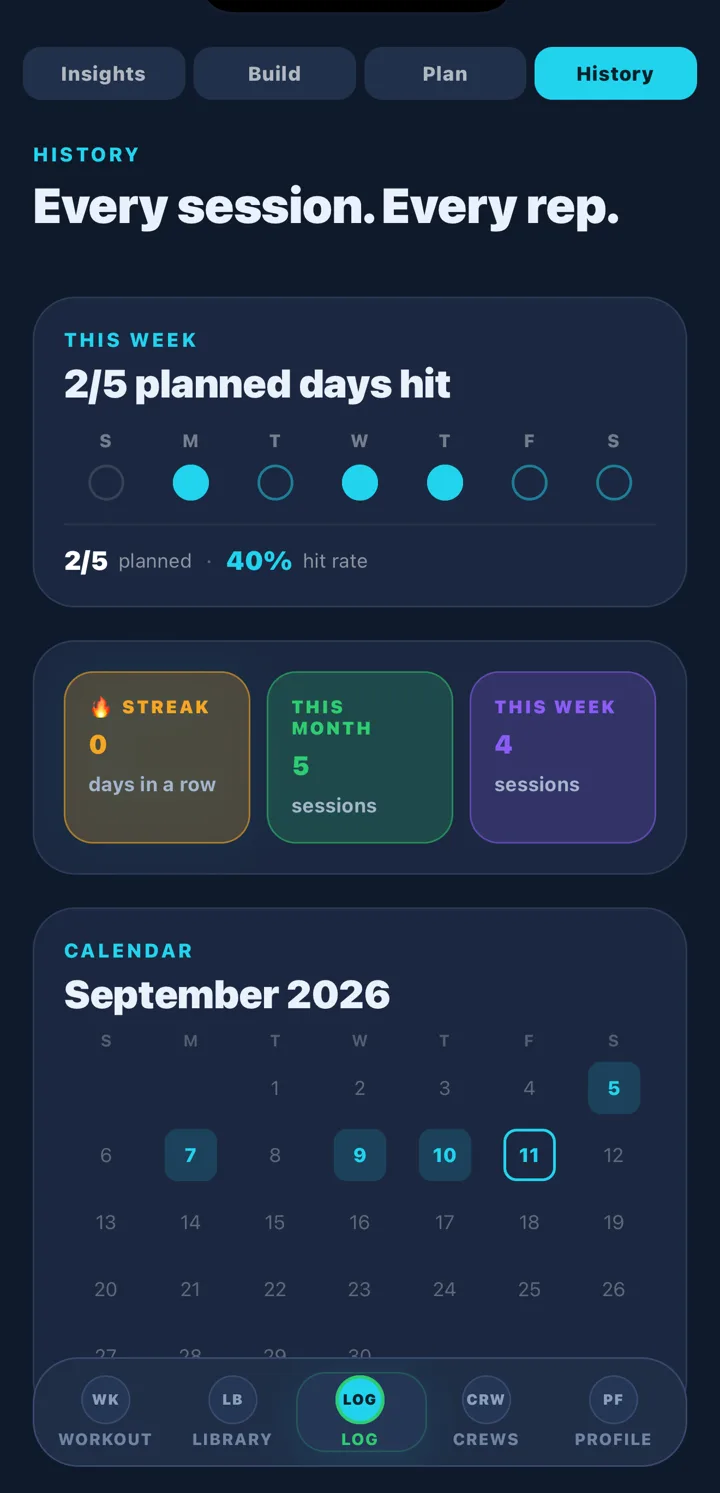
Logging on the phone anyway? GymAdapt shows last session next to today's set, pre-fills the next target, keeps the live workout on your Lock Screen, and writes the finished session to Apple Health if you want it to. Track your next workout →
Questions people ask
Can Apple Watch log sets and reps?
No. Apple's Workout app records the workout's duration, heart rate and calories under 'Traditional Strength Training' (or 'Functional Strength Training'), and closes your rings. It has no field for sets, reps or weight. For those you need a logging app; some (Hevy, Strong, Fitbod) have Watch apps for set entry, others (GymAdapt) log on the iPhone and write the finished workout to Health.
How do I log a strength workout on Apple Watch?
Open the Workout app on the Watch, scroll to Traditional Strength Training (or use the search), tap it, and it starts. Swipe right and tap End when you finish. It appears in the Fitness app on your iPhone and in Apple Health as a workout. Add it to your Watch's workout list once and it's the first tile next time.
Will my workout count twice if I log it in an app and on my Watch?
It can. If the app writes the workout to Apple Health and the Watch also recorded one, Health may show two overlapping workouts and Fitness may double-count exercise minutes. Pick one writer: either log in the app and skip the Watch's strength workout, or run the Watch workout and turn off the app's Health write. Health de-duplicates some overlaps but not reliably.
Does GymAdapt have an Apple Watch app?
Not yet. GymAdapt logs on the iPhone, shows the live workout on the Lock Screen and Dynamic Island, and, when Apple Health is connected, writes each completed workout to Health so it counts toward your Activity rings. It reads your weight, steps and resting heart rate from Health to inform recommendations.
How do I add a workout manually to the Fitness app?
You can't add a workout directly in Fitness. Open the Health app, go to Browse › Activity › Workouts › Add Data, choose the type, start and end time, and save; it then appears in Fitness. Our step-by-step: manually add a workout to the Fitness app.
Track your next workout with GymAdapt
Log every set on your phone with last time shown and the next target pre-filled, keep the live workout on your Lock Screen, and send the finished session to Apple Health if you want the rings.
Get GymAdapt on the App Store → Free to start. Pro is $4.99 a month or $24.99 a year (7-day free trial), or $59.99 once for lifetime. iPhone only.