You finish a workout, come back next week, and can't remember what you lifted. That's the whole problem a workout log solves, and it doesn't need to be complicated. The sheet below fits a full session on one page, has a column for what you did last time so you know what to beat, and a column for what goes up next time so the decision is made while you still remember how the set felt. Print it, or grab the spreadsheet version.
Same columns as this sheet. The app fills in the hard ones.
- Last time is filled in before you start, so you always know what to beat.
- Next is decided for you: GymAdapt applies the same add-weight rule as this page to every set you log and sets your next weight and reps automatically.
- Your plan adapts: miss reps and it holds the weight; stall and it backs off. A chart shows every lift going up.
Free on iPhone, no card. Automatic weights are free for your first 30 days, then part of Pro ($24.99/yr). Prefer paper? The free PDF is right below.
Download the log
Two pages: a blank sheet and a filled-in example. US Letter, prints in black and white. The spreadsheet version opens in Google Sheets, Excel or Numbers.
Download PDF (free) → Spreadsheet (.xlsx) →No email required. If you'd rather log on your phone, GymAdapt keeps the same fields and fills in "last time" for you.
How to use it (the 30-second version)
The one rule that makes a log worth keeping
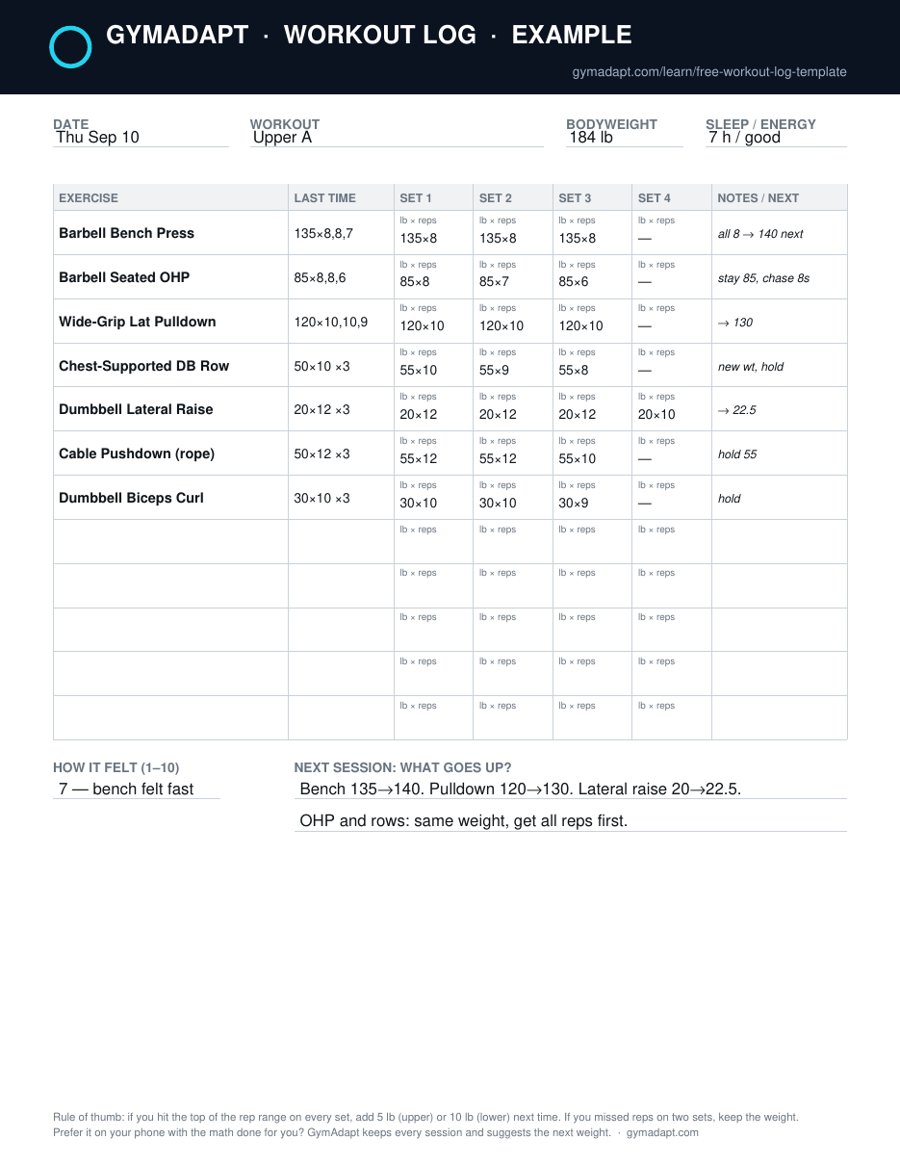
A log is only useful if it changes what you do next. The rule we use, and the rule the example page follows, is double progression: pick a rep range for each exercise (8–10 for most lifts, 12–15 for isolation work), and when you hit the top of the range on every set, add weight next time. Roughly 5 lb for presses, rows and curls; 10 lb for squats, deadlifts and leg press. If you miss reps on two or more sets, keep the weight and chase the reps. In the example, bench went 135×8, 8, 8, so next week is 140. Overhead press went 8, 7, 6, so it stays at 85.
That's it. Everything else on the sheet exists to make that decision faster and to explain the days it doesn't go to plan (the sleep and effort fields, mostly).
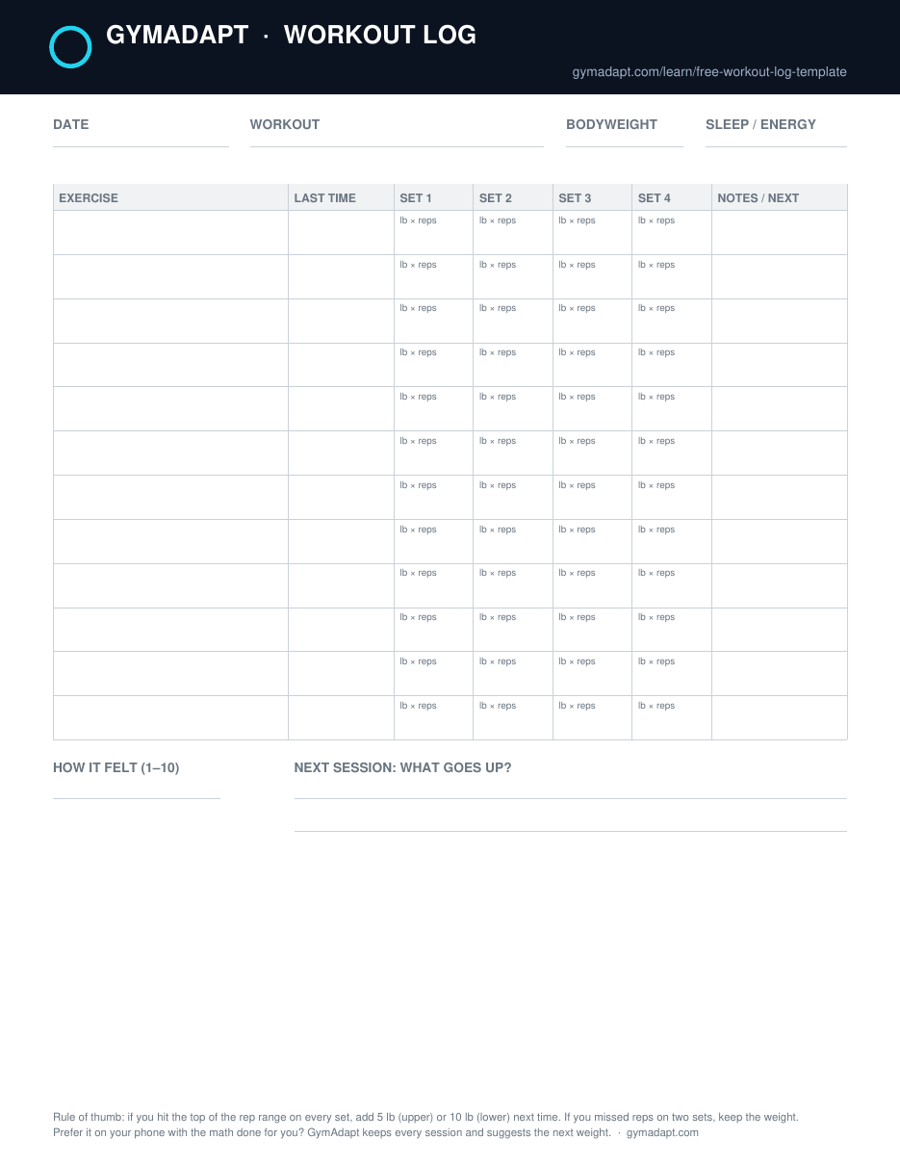
Blank page, for reference
When paper stops being enough
Paper works until you want to know whether your bench has gone up in the last three months, or you're standing at the rack trying to remember whether it was 135 or 140 last Thursday and the sheet is in the car. Those are the three things an app does that paper can't: it remembers for you, it shows the trend, and it makes the next-weight decision for you. GymAdapt does all three and adjusts the plan from what you log, so it is the adaptive version of this sheet, not just a digital copy. If you're there, the honest comparison is in workout log book vs app, and the app roundup is in best workout log apps.
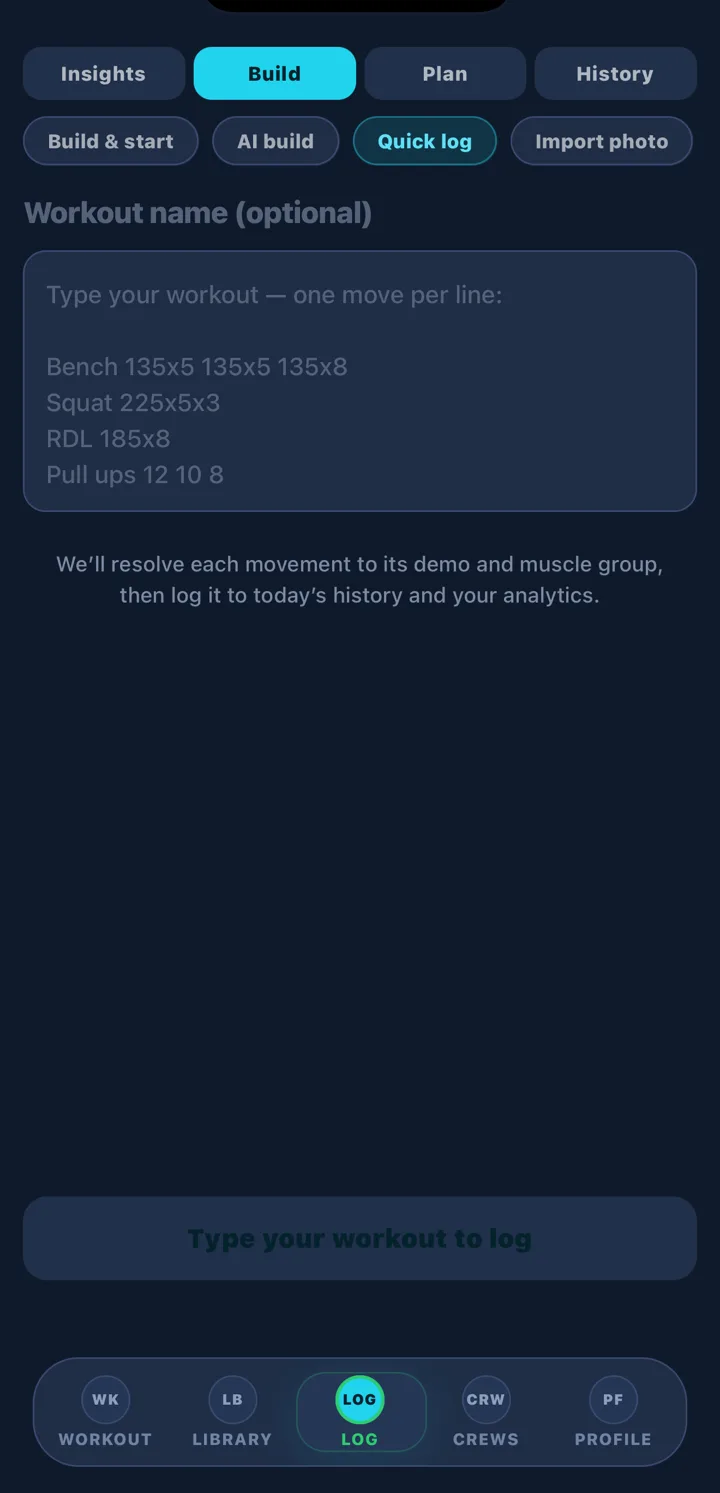
Prefer to keep it on your phone? GymAdapt's Quick log takes the same shorthand you'd write on this sheet ("Bench 135x8 135x8 135x7") and files it to your history with the muscle group and video demo attached. Import photo does the same from a picture of a paper page. See how your sessions connect over time →
Questions people ask
What should a workout log include?
At minimum: the date, each exercise, and the weight and reps for every set. The two fields that make it useful are 'last time' (so you know what to beat) and 'next' (what you decided to do next session). Bodyweight, sleep and a 1–10 effort score are optional but explain your bad days.
How do I know when to add weight?
Use a rep range, for example 8–10. If you hit the top of the range on every set, add weight next time: about 5 lb on upper-body lifts and 10 lb on squats, deadlifts and leg press. If you miss reps on two or more sets, keep the weight and chase the reps. That single rule is the whole point of keeping a log.
Is a printable workout log better than an app?
Paper is free, never runs out of battery and nobody messages you. An app remembers your last session automatically, does the add-weight math, shows trends, and can suggest today's weights. Most people who train more than twice a week end up on an app; if you want to stay on paper, this template is built to make progression obvious. Our full comparison: workout log book vs app.
Can I use this template in Google Sheets or Excel?
Yes. The PDF prints to US Letter; the same layout is on this page as an .xlsx that opens in Google Sheets (File → Import), Excel or Numbers, with the example session on a second tab.
Does GymAdapt import a paper log?
Yes. The Log tab has an Import photo option: photograph the sheet and GymAdapt reads the exercises, weights and reps into your history. There's also Quick log, where you type 'Bench 135x8 135x8 135x7' and it resolves each line to the right exercise.
Track your next workout with GymAdapt
Same fields as the sheet, with last time filled in automatically, the add-weight math done for you, and a chart for every lift. Photograph this page and import it if you've already got history on paper.
Get GymAdapt on the App Store → Free to start. Pro is $4.99 a month or $24.99 a year (7-day free trial), or $59.99 once for lifetime. iPhone only.